
OFW Watch3.2.1 - Google Play
You'll be able to see results in few seconds.
Publisher Description
Making life easier, safer & more productive for OFW.
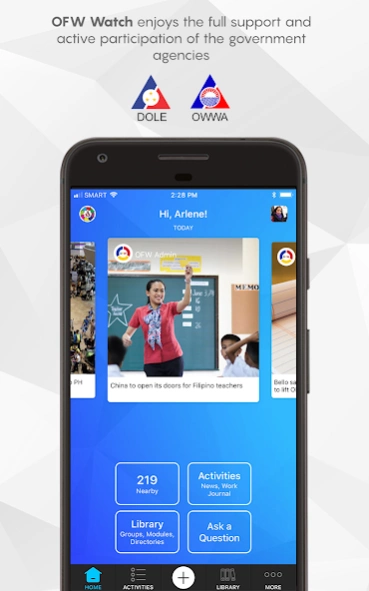
In the spirit of Bayanihan and volunteerism, the OFW Watch app and volunteer support network is a private sector initiative, in partnership with the Philippines Department of Labor and Employment (DOLE) and the Overseas Workers Welfare Administration (OWWA), to empower the overseas Filipinos with the mobile and social networking technology they need to help themselves, help each other and help the government agencies tasked with supporting them.
Features include:
Safety: An Emergency SOS button. Tapping this button will generate an immediate response, including, but not limited to:
- An immediate call back to ascertain the situation.
- An immediate targeted broadcasting of your SOS message and location to the concerned embassy, DOLE and attached agencies, nearby volunteers, community support groups.
- Real-time broadcasting and monitoring of the status of the SOS to final resolution.
Report a Concern:
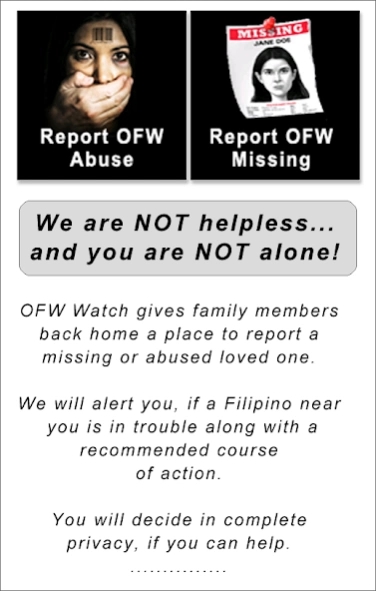
- Non-emergency reporting function for abuse, missing OFWs or corruption.
Connecting Filipinos:
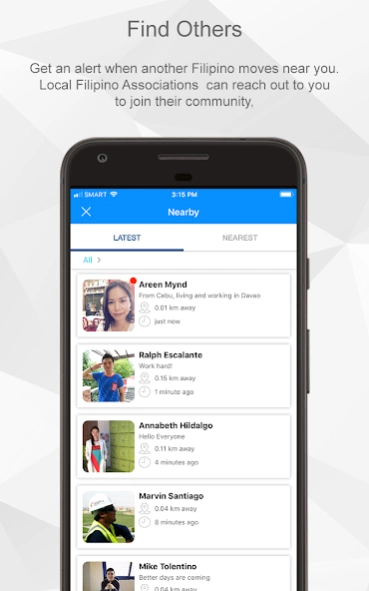
- Alerts – Users are notified when a Filipino move nearby.
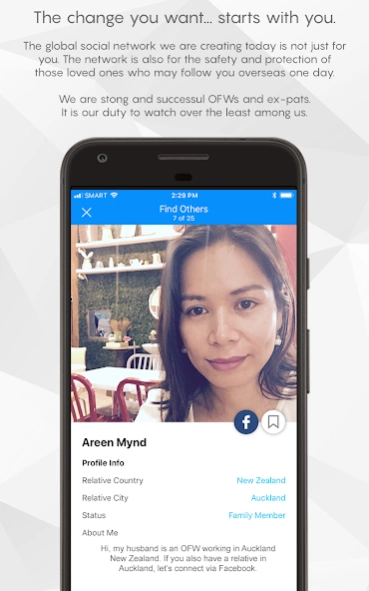
- Find Others – Uses geo-location data to connect you with other OFWs, ex-pats and community groups nearby. Profiles of nearby users, includes a link to their public social networks, such as a Facebook page, to facilitate a connection if both parties mutually agree.
- Check-in functions: Tight integration with Google Places to identify popular/safe locations for Filipinos with reviews and comments by other Filipinos.
- Groups: Ability for users to locate local Filipino Associations/groups or to create local support groups
Ask a Question – A knowledgeable staff and community volunteers monitor all questions and deliver prompt answers on anything under the sun. Anything from how to make chicken soup to how to renew your passport. Ask anything and get an answer. We are here to make your life easier.
OFW Work Journal:
- A DOLE and OWWA supported Work Journal for OFWs to record work conditions.
- Work Journals can be monitored remotely by OWWA and POLO, including posts, photos and videos posted by the OFW in response to specific questions posted to the Work Journal by OWWA or POLO staff.
Resources Library:
- Directories of all Philippine Embassies, Consulates, OWWA, POLO offices. Each listing contains detailed information, including Google maps, hotlines, fax numbers, email addresses, directions and contact names.
- FAQs: hundreds of answers. Frequently asked questions from OWWA, POEA and DFA.
- Programs: Access to programs and mini-website, including currency converter, simple translator, language lessons, tips and much, much more.
About OFW Watch
The company that develops OFW Watch is Mynd Dynamic Team, Inc. The latest version released by its developer is 3.2.1.
To install OFW Watch on your Android device, just click the green Continue To App button above to start the installation process. The app is listed on our website since 2018-06-06 and was downloaded 0 times. We have already checked if the download link is safe, however for your own protection we recommend that you scan the downloaded app with your antivirus. Your antivirus may detect the OFW Watch as malware as malware if the download link to com.myndconsulting.android.ofwwatch is broken.
How to install OFW Watch on your Android device:
- Click on the Continue To App button on our website. This will redirect you to Google Play.
- Once the OFW Watch is shown in the Google Play listing of your Android device, you can start its download and installation. Tap on the Install button located below the search bar and to the right of the app icon.
- A pop-up window with the permissions required by OFW Watch will be shown. Click on Accept to continue the process.
- OFW Watch will be downloaded onto your device, displaying a progress. Once the download completes, the installation will start and you'll get a notification after the installation is finished.
Program Details
System requirements
Download information
Pricing
Version History
version 3.2.1
posted on 2018-06-06
* various bug fixes
* fixed Facebook login to comply with their recent privacy changes
version 2.3
posted on 2014-08-27
v2.3,* bug fixes and layout arrangements,* style changes,v2.2,* bug fixes,* layout improvements and changes,v2.1,* fixed bugs,* updated directories,v2.0,* Redesign and revamp of the new OFW Watch App,v1.2,* Bug fixes.
Disclaimer
Official Google Play Link
We do not host OFW Watch on our servers. We did not scan it for viruses, adware, spyware or other type of malware. This app is hosted by Google and passed their terms and conditions to be listed there. We recommend caution when installing it.
The Google Play link for OFW Watch is provided to you by apps112.com without any warranties, representations or guarantees of any kind, so access it at your own risk.
If you have questions regarding this particular app contact the publisher directly. For questions about the functionalities of apps112.com contact us.
